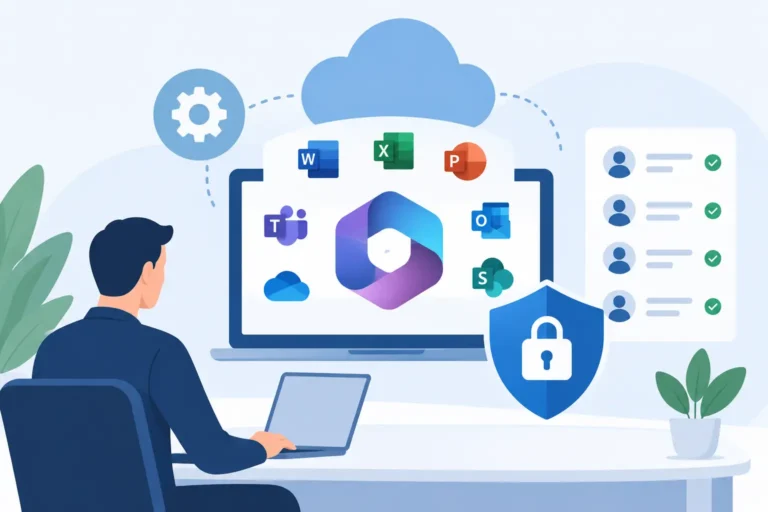

An internal IT manager can know the business, its people and its systems inside out, yet still be pulled in too many directions. A new starter needs access, a director cannot connect remotely, a security alert needs investigating, and an office move or Microsoft 365 project is waiting in the background. Co-managed IT support gives that team practical backup without taking away the control they need to do their job.
For many UK businesses, this is a more useful arrangement than choosing between a fully outsourced service and trying to recruit every specialist in-house. It combines internal knowledge with external capacity, defined responsibilities and access to wider expertise when it is needed.
What is co-managed IT support?
Co-managed IT support is a shared operating model between your internal IT team and an external technology provider. Rather than replacing your people, the provider works alongside them. The split can cover everyday support, monitoring, cybersecurity, Microsoft cloud administration, project delivery or specialist escalation.
The right arrangement starts with a clear answer to a simple question: who owns what? Your internal team may remain the first point of contact for staff and lead technology decisions, while the external provider monitors devices, manages backups and provides escalation support. Alternatively, the provider may take first-line user support, giving your IT manager more time to improve systems and plan change.
There is no single template. A business with a one-person IT department has different needs from a multi-site organisation with a small service desk. What matters is that the service is designed around the work that needs doing, the skills already available and the risks the business needs to manage.
Why internal IT teams need extra capacity
The problem is rarely a lack of effort. Internal teams often become the default destination for every technology question, from password resets to complex supplier issues. This makes it difficult to protect time for preventative work, documentation, security reviews or planned improvements.
When routine demand takes over, projects tend to slip. A move to Microsoft 365, better device management, a new office connection or a replacement line-of-business system all require focused attention. They also need someone to coordinate suppliers, test changes and communicate clearly with staff. Leaving this work to fit around support tickets creates unnecessary disruption.
Co-managed support provides a route to additional hands and specialist knowledge without the delay and cost of building a larger permanent team. It can also provide cover during annual leave, sickness or periods of rapid growth. That continuity matters when employees need help and systems need monitoring every working day.
Where the responsibilities usually sit
A good co-managed arrangement should feel practical, not bureaucratic. Both teams should understand the service boundaries, how incidents are escalated and who makes final decisions. If a request is passed back and forth, the model has not been properly defined.
An external provider can take responsibility for the operational work that needs consistency: endpoint monitoring, patching, backup checks, antivirus management, identity administration and support for covered services. It can also supply a responsive helpdesk for agreed users or sites.
Your internal team may retain ownership of business applications, supplier relationships, IT budgeting and long-term technology priorities. They are often best placed to understand how a department works and what a change will mean in practice. The provider brings technical depth, established processes and capacity to carry out the work.
Some responsibilities will be shared. Cybersecurity is a good example. A provider may monitor alerts, apply controls and advise on risk, but internal leaders still need to set acceptable risk levels, approve policies and make sure staff follow them. Clear reporting and regular service reviews turn that shared responsibility into action.
Avoid the grey areas
Before the service begins, agree who handles new starters and leavers, device purchasing, licence changes, third-party applications, out-of-hours incidents and office connectivity faults. These are the areas where uncertainty can cause delays.
It is equally useful to agree what sits outside the ongoing service. A major migration, office relocation or new system deployment may need separate project planning and a defined scope. That is not a weakness in the support model. It is a sensible way to make costs, timescales and outcomes clear before work starts.
The value is not just a bigger helpdesk
The most effective co-managed IT support changes what your internal team can achieve. Instead of spending all week reacting to tickets, they can improve the way technology supports the business.
That could mean moving shared files into Microsoft cloud services, standardising laptop builds, introducing multi-factor authentication or reviewing whether staff have the right licences. It may involve connecting several offices reliably, improving recovery plans or preparing the organisation for a secure AI rollout with clear employee guidance and policy.
External specialists also bring experience from similar projects. They can identify the dependencies that are easy to miss, such as broadband lead times, permissions, data retention or user training. This does not remove the need for internal oversight. It reduces the chance that an important detail is discovered too late.
For finance and operations leaders, the benefit is greater predictability. You have clearer support arrangements, known escalation routes and a partner accountable for agreed services. For an IT manager, it means being able to ask for practical help before a backlog becomes a business problem.
When the model is a good fit
Co-managed support works particularly well when the business has internal IT capability but lacks enough capacity or specialist cover. It is common where an IT manager is responsible for a growing workforce, multiple locations or a mixture of legacy systems and Microsoft cloud services.
It can also suit businesses that need more control than a fully outsourced model provides. The internal team continues to shape priorities and maintain close relationships with departments, while the provider supplies the operational discipline and technical resource needed to deliver them.
However, it is not automatically the right answer. If there is no internal technology owner and no desire to retain day-to-day involvement, fully managed support may be simpler. At the other end of the scale, a large IT department with mature security, service management and cloud skills may only need targeted consultancy for particular projects.
The key is to assess the work rather than the job titles. Look at support demand, unresolved project work, security requirements, staff coverage and the cost of downtime. That gives a more honest picture than assuming the answer is another hire or another software tool.
How to set up co-managed support properly
Start with an open review of the current environment. This should cover users, devices, servers, connectivity, Microsoft licences, backup arrangements, security controls, key suppliers and known problem areas. The purpose is not to produce a technical report that sits in a drawer. It is to establish what needs attention and where responsibility will sit.
Next, agree the service model in plain language. Define the users and systems covered, response expectations, contact routes and escalation process. Make sure staff know whether they should contact the internal team, the provider or either, depending on the issue. A simple, communicated process is better than a detailed one nobody follows.
Then establish a regular rhythm. Service reviews should discuss ticket trends, recurring faults, security activity, upcoming changes and priorities for the next period. Good reporting should help leaders make decisions, not bury them in figures. If the same issue keeps appearing, the conversation should move from fixing it again to removing the cause.
Finally, plan change separately from ongoing support. A provider should be able to help you choose licences, configure services, move data, guide first users and review adoption afterwards. Each project needs a clear owner, scope and timetable so that day-to-day support does not get in the way of delivery.
A partnership built on clear accountability
Co-managed IT support succeeds when it removes ambiguity rather than adding another layer of management. Your internal people should know they have experienced backup. Your staff should know where to get help. Your leadership team should know who is accountable for keeping essential systems running and delivering agreed improvements.
Prestige IT works with internal teams in this way: supporting the day-to-day operation while helping businesses carry out the technology changes they have been putting off. The aim is not to take control for its own sake. It is to give your business the right level of support, expertise and ownership.
If your IT team is busy but important work is standing still, begin by identifying the tasks only they can do and the work that could be shared. That distinction is often the first practical step towards an arrangement that gives everyone more room to do their best work.