
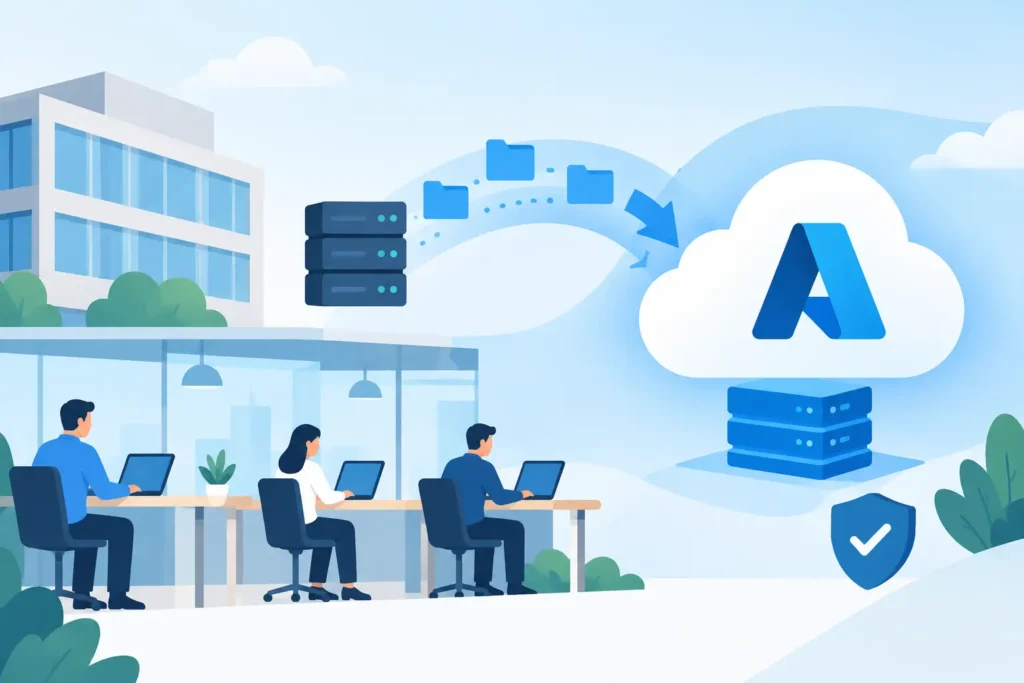
A server reaching end of support, a growing remote workforce or a costly office move can force a cloud decision sooner than expected. Azure migration for SMEs is often discussed as a technical upgrade, but the real job is keeping people productive while improving how systems are managed, secured and recovered.
For a small or mid-sized business, the risk is rarely that Azure cannot handle the workload. The risk is moving too much, too quickly, without a clear reason for each system or a workable plan for staff. A successful migration starts with business priorities, then applies the right technology to support them.
What Azure migration for SMEs should achieve
Microsoft Azure provides cloud infrastructure and services that can replace or extend on-premises servers. It can host business applications, file services, databases, virtual desktops, backups and disaster recovery environments. But moving every existing server into Azure is not automatically the best result.
The practical question is: what is causing a problem today? It may be ageing hardware, a site with unreliable connectivity, limited disaster recovery, difficulty supporting remote staff or an application that needs more capacity at certain times. Azure should address a defined operational need, rather than reproduce an old server room in a different location.
For many SMEs, the outcome is a mixed environment. Microsoft 365 may take care of email, collaboration and document sharing, while Azure hosts a line-of-business application or provides protected backup and recovery. Some systems may remain on site because of performance, licensing or equipment dependencies. That is not a failure to migrate. It is a decision based on how the business works.
Start with the systems, not the cloud platform
A sound project begins with discovery. This means documenting the servers, applications, data, user access, integrations, licences, network connections and backup arrangements already in place. It also means speaking with the people who use the systems every day. The finance application that appears straightforward on a server list may rely on a third-party integration or month-end process that cannot tolerate downtime.
This assessment separates workloads into sensible options. Some can be retired because they are no longer used. Some can move to Microsoft 365 or another software-as-a-service platform. Some are suitable for Azure virtual machines, while others should be modernised or retained on site for the time being.
It is tempting to treat a lift-and-shift move as the quick answer. It can be appropriate when hardware is due for replacement or an application cannot be changed in the short term. However, simply transferring poorly sized servers to cloud infrastructure can create unnecessary monthly costs. Rightsizing servers, removing unused storage and scheduling non-production systems to switch off outside working hours can make a material difference.
Define the business case in plain terms
Before approving the work, agree what success looks like. For one organisation, it may be being able to recover key systems after a site outage. For another, it may be allowing staff across several offices to use the same application without managing servers at every location.
Costs should be considered over time, not just at the point of migration. Azure changes capital expenditure on servers into ongoing operating expenditure. That may improve flexibility, but it also requires active management. Usage, storage growth, backups and software licensing need regular review. A forecast should include the cloud services, migration work, security controls, connectivity changes, support and the realistic cost of retaining any systems that stay on premises.
Build security and recovery into the design
Moving systems to Azure does not remove the need for security management. It changes where responsibilities sit. Microsoft protects the underlying cloud platform, while your organisation remains responsible for identity, access, data, configurations and the services it chooses to use.
That is why identity should be considered early. Staff need the right access to the right resources, with multi-factor authentication and clear processes for starters, leavers and role changes. Administrative access should be limited and monitored. Where appropriate, conditional access policies can prevent sign-ins that do not meet agreed security requirements.
Backup and disaster recovery also need separate decisions. A copied server is not necessarily a recoverable service. Agree recovery priorities with the business: which systems must be restored first, how quickly they need to return, and how much data loss is acceptable if an incident happens shortly before a backup completes. Then test the recovery process. A recovery plan that has only been reviewed on paper is not enough.
For regulated businesses, such as financial services and insurance firms, document the design and responsibilities clearly. Evidence of access controls, retention settings, backup testing and change approval can be as valuable as the technology itself when responding to an audit or customer questionnaire.
Migrate in stages and protect normal operations
A phased migration reduces risk and gives staff time to adapt. Begin with a low-risk workload where the dependencies are understood. Use it to prove the migration method, confirm network performance and refine communications. The lessons from that first move will make the next stage more predictable.
Each workload should have a migration plan covering the technical steps, data synchronisation, testing, fallback arrangements and a named owner. Schedule the final cutover around business activity, not around what is easiest for the IT team. Avoid payroll processing, month-end, major customer deadlines and seasonal peaks where possible.
Staff communication matters more than many projects allow for. People need to know what will change, when it will happen, what they need to do and where to get help. If their sign-in process, shared files or application address will change, provide simple instructions before the move. A short period of increased support after go-live prevents small issues becoming frustration across the business.
Test the experience, not only the server
Technical checks are essential, but they do not tell the whole story. Test the application with typical user roles and real business tasks. Can a remote user connect reliably? Can the accounts team complete a report? Does a warehouse or field worker have the response time they need? Are printing, scanning and third-party integrations still working?
Performance depends on more than Azure. Internet connections, local networks, VPN design, device age and application architecture all affect the result. A system that performed well on a local server may feel different when accessed over a connection from a branch office. In some cases, improving connectivity or using a different access method is the right answer before migration.
Manage Azure after the project ends
The migration is a milestone, not the finish line. Cloud services need ownership after go-live. Someone should review costs, security recommendations, capacity, backup results, user access and planned updates on a regular basis. Without this discipline, an environment can gradually become more expensive and less secure than intended.
Clear accountability is especially useful for SMEs with limited internal IT capacity. The business should know who responds to alerts, who approves changes, who checks recovery and who supports staff when something does not work. This is where an experienced managed IT provider can add value beyond the initial project – planning the change, carrying out the work and remaining responsible for day-to-day operation.
Prestige IT approaches Azure work in that way: beginning with the systems and business outcomes, then providing the support needed to keep the environment working after the move.
The right time to start is before ageing infrastructure, a failed server or a rushed office change makes the decision for you. Identify the systems that create the greatest operational risk, agree what a better position looks like, and move them with enough planning to keep the business running normally.